
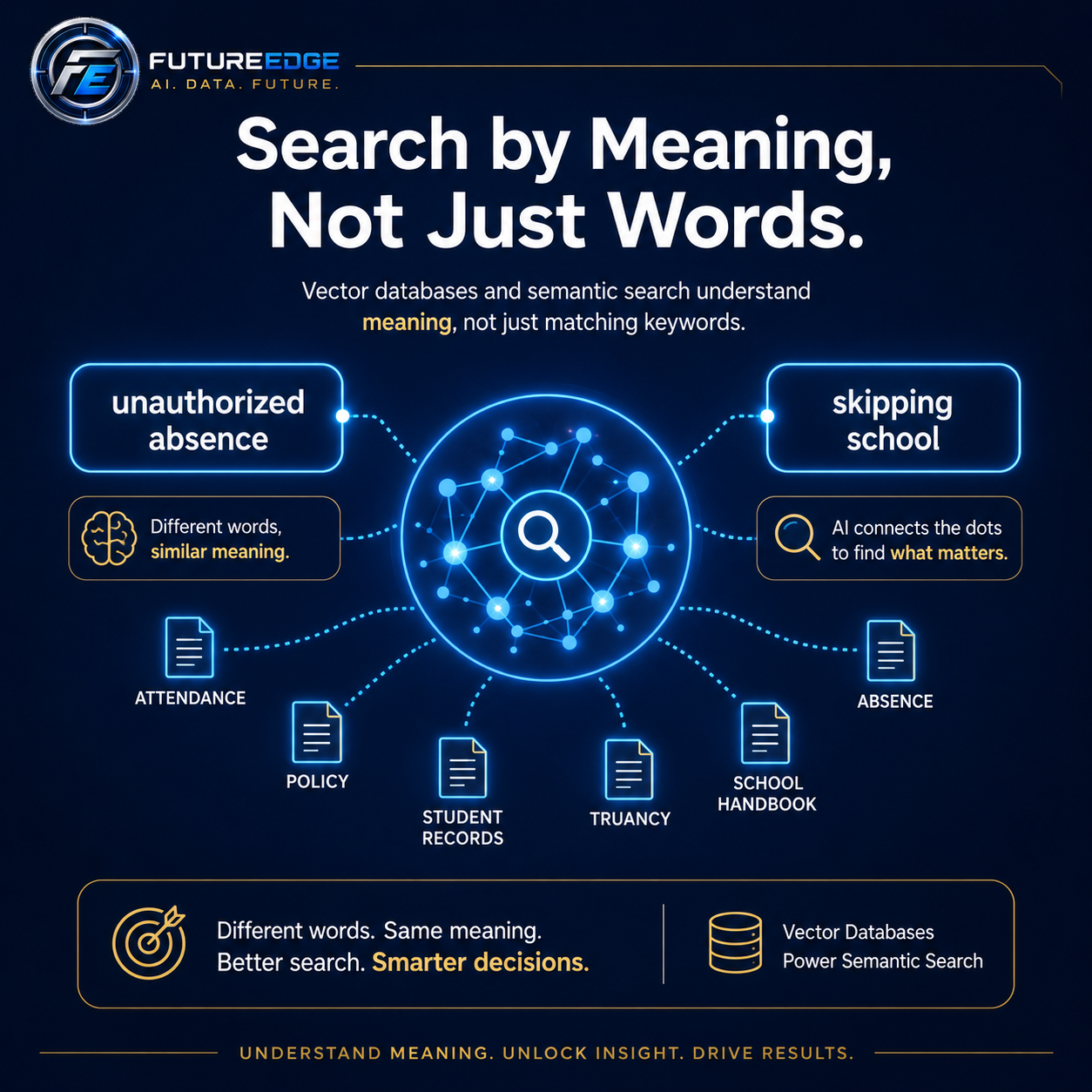
Traditional search usually depends on exact words.
That works well when the person searching knows the same terminology used in the document. But people often describe the same idea in very different ways.
A school handbook might use the phrase “unauthorized absence.”
A parent might ask about “skipping school.”
The wording is different, but the meaning is closely related.
A vector database helps an artificial intelligence system recognize that connection.
What is a vector database?
A vector database stores information in a way that helps computers compare meaning.
When documents are added to the system, sections of text are converted into mathematical representations called vectors. Information with similar meaning is placed closer together in this mathematical space.
This allows an AI system to search based on ideas instead of relying only on exact keyword matches.
For example, a semantic search system may recognize that these phrases are related:
Skipping school
Unauthorized absence
Truancy
Unexcused absence
Missing class without permission
A traditional keyword search may miss some of those relationships. Vector search is designed to find them.
What does semantic search mean?
Semantic search is a type of search that focuses on meaning and context.
A regular search engine may look for the exact words someone typed. A semantic search system tries to understand what the person is asking about.
For example, an administrator might search:
“A student left campus without permission.”
The district handbook may not contain those exact words. It might instead use language such as:
“Unauthorized departure from school grounds.”
A meaning-based search system can recognize that the two descriptions are closely related and retrieve the relevant policy.
That is what makes vector search especially useful for AI applications.
How vector databases support AI
A vector database often works behind the scenes in an AI system.
The basic process looks like this:
Documents are divided into smaller sections.
Each section is converted into a vector that represents its meaning.
The vectors are stored in a searchable database.
A user asks a question in ordinary language.
The question is also converted into a vector.
The system finds document sections with the most similar meaning.
The AI uses those sections to help create an answer.
This process is commonly used in retrieval-augmented generation, also known as RAG.
The vector database helps find the information. The AI model then uses that retrieved information to generate a response.
How schools can use vector databases
Schools store large amounts of important information across board policies, student handbooks, employee manuals, athletic rules, procedures, forms, and guidance documents.
The challenge is that administrators may not know the exact title or wording of the document they need.
A vector-powered search system can help school leaders locate relevant information by describing the situation in plain language.
Possible school applications include:
Board policy search
Student handbook search
Attendance and discipline research
Athletic eligibility guidance
Employee procedure retrieval
Special education process support
Form and template discovery
Similar incident research
Community Education procedure search
School example
A principal might search:
“A student made a threatening social media post from home, but other students saw it during the school day.”
The exact wording may not appear in one policy.
A vector search system could identify related sections involving:
Threats
Student safety
Off-campus conduct
Technology use
School disruption
Law enforcement notification
The system could then present the most relevant documents for the administrator to review.
How businesses can use vector databases
Businesses also store important information across contracts, policies, proposals, customer records, support tickets, procedures, product manuals, and meeting notes.
Employees often remember the idea they are looking for, but not the exact wording or file name.
A vector database can help employees find related information even when the terminology has changed.
Possible business applications include:
Contract search
Employee handbook questions
Customer support knowledge
Proposal and RFP development
Product documentation
Standard operating procedures
Sales enablement
Compliance research
Similar customer issue discovery
Business example
A consulting company receives a new request for proposal asking about:
“Organizational change support and staff adoption.”
The company may not have used those exact words in previous proposals.
A vector search system could still locate past materials related to:
Change management
Staff training
Implementation support
Stakeholder communication
Technology adoption
The system could then help employees reuse approved content and identify relevant case studies.
Vector databases are not a complete solution by themselves
Vector search is powerful, but semantic similarity does not always mean the result is correct.
A document can be related to the question without being the controlling or most authoritative source.
For that reason, strong AI search systems usually combine vector search with additional controls.
These may include:
Keyword search
Document permissions
Date filters
Department filters
Document type filters
Version control
Source citations
Relevance scoring
Reranking
Human review
Evaluation testing
For example, a school district may need to limit results to the current school year or the latest version of a board policy.
A business may need to prevent one client’s confidential information from appearing in another client’s search results.
Why metadata matters
Metadata is information attached to a document or document section.
It can include:
Document title
Department
School year
Effective date
Policy number
Confidentiality level
Client name
Record type
Author
Version
Metadata helps the search system narrow results before comparing meaning.
For example, a district administrator might search only current board policies, while an athletic director might search only association rules and athletic handbooks.
A business user might search only active contracts from a specific customer.
This makes the results more relevant and more secure.
Vector search and RAG work together
Vector databases and RAG are closely connected, but they are not the same thing.
A vector database helps locate information that is similar in meaning.
RAG uses that retrieved information to help an AI model create an answer.
A simple way to understand the difference is:
Vector search finds the right information. RAG uses that information to create a grounded response.
Both parts need to work well.
Even a powerful AI model can produce a weak answer if the search system retrieves the wrong documents.
How should vector search be tested?
Organizations should not assume that semantic search works simply because it produces results.
It should be tested using realistic examples.
A school might test whether the system can connect:
“Skipping school” with “unauthorized absence”
“Leaving campus” with “unauthorized departure”
“Online threat” with “student safety and off-campus conduct”
“Failed a class” with “academic eligibility”
“Parent complaint” with “grievance procedure”
A business might test whether the system can connect:
“Cancel the agreement” with “termination clause”
“Late payment” with “delinquent account”
“Staff training” with “employee onboarding”
“Customer problem” with “support escalation”
“Price reduction” with “discount approval”
Testing helps determine whether the system retrieves the right information consistently.
Search by meaning, but verify the source
Vector databases make AI search more flexible and natural.
Users do not need to know the exact wording inside a policy, contract, or procedure. They can describe what they are trying to find in everyday language.
That can save time and make organizational knowledge easier to access.
However, the final answer should still show the source, respect permissions, and allow the user to confirm the information.
The goal is not simply to find something related.
The goal is to find the most relevant, current, and trustworthy information.
Build smarter search around your organization’s knowledge
Vector databases are one of the technologies that make modern AI systems more useful.
They help schools and businesses search large collections of information by meaning, not only by exact words.
When combined with strong document controls, citations, evaluation testing, and human oversight, semantic search can help employees find the right information faster and make better-informed decisions.
FutureEdge Consultancy helps schools and businesses explore practical AI search systems built around the information they already use.
Learn more at fe515.com.
